


Typography Guide: How to Pair Fonts Without Ruining Your Design
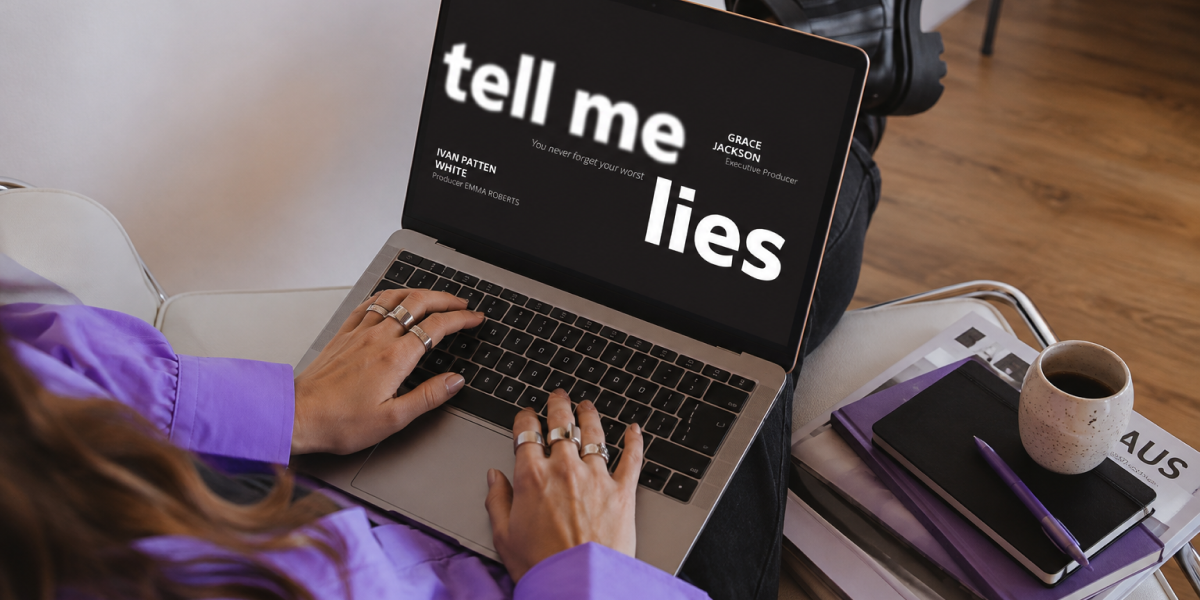
Almost anyone who starts designing goes through the same moment of paralysis: they have a project in front of them, they've chosen a headline font they like, and now they need a second one for the body text. They open a font website, start trying random combinations, and at some point everything looks either fine or wrong — without really knowing why.
• Pairing typefaces isn’t a matter of taste — it’s a matter of visual hierarchy: each font must play a clear role in the system, not just “look good.”
• The most reliable rule to start with is contrast, not similarity: two similar fonts tend to clash; two clearly distinct fonts (in construction) tend to work well together.
• A solid typographic system rarely needs more than 2 to 3 fonts: beyond that, the design loses coherence and starts to feel noisy.
• Serif + Sans Serif remains the safest and most versatile pairing for beginners, but it’s neither the only valid option nor the most interesting one in every context.
• The most costly mistake usually isn’t aesthetic — it’s choosing the headline font first instead of starting with the body text font, when it should be the other way around.
This isn’t bad luck or a lack of “good eye.” It’s the direct result of trying to solve a system and hierarchy problem using purely aesthetic judgment. And it’s one of the clearest points where the difference shows between a student project and one that already thinks like a professional studio. Take into account that typography is one of the most important components of a corporate visual identity — you must know how to pick the right one.
The good news is that pairing typefaces with real criteria doesn’t depend on innate talent or years of experience staring at letters. It depends on understanding a handful of clear principles — contrast, hierarchy, classification — and applying a method, instead of relying purely on intuition or copying pairings from Pinterest without understanding why they work.
In this guide, we’re leaving behind the “combinations that never fail” listicles with no explanation, and building real judgment instead: the kind that lets you defend any typographic decision in front of a client, a project review board, or an art director, without hesitation.
Before going deeper, here are the most frequent failures we see among students and junior designers when pairing typefaces:
• Combining two fonts that are too similar to each other, creating the feeling of a typographic mistake rather than an intentional decision.
• Choosing the “pretty” font for the headline first and then trying to force something workable for the body text, instead of starting with body legibility.
• Using more than three typefaces in a single system, losing visual coherence and clear hierarchy.
• Ignoring the context of use: picking a pairing that works on a portfolio slide but is unreadable in an actual digital interface.
• Not testing the pairing in real context (long paragraphs, small sizes, different weights), settling only for how it looks as two isolated headlines.
Snippet: a bad font pairing is almost never a matter of “bad taste” — it’s almost always a matter of insufficient contrast or poorly defined hierarchy.
Before talking about which typefaces to pair, it’s worth understanding why we pair typefaces in the first place. It’s not to make a design “look more elaborate” or to show off variety. It’s to guide the reader: so they know, without thinking about it, what’s a headline, what’s a subheading, what’s body text, and what’s a footnote.
Every typeface within a system has a function. When that function is clear, the reader navigates the content effortlessly. When it isn’t — because there are too many fonts, or because they’re too similar to each other, or because there isn’t enough contrast in weight or size — the reader has to work harder than necessary to understand what they’re reading. And in design, that’s always a sign that something is failing in the system, not in the taste.
Every typeface communicates a tone before a single word of content is read. A classic serif conveys tradition, authority, editorial seriousness. A geometric sans serif conveys modernity, neutrality, efficiency. A slab serif conveys solidity and character. A display font conveys personality and expressiveness, almost always at the cost of legibility in long text.
This means that before thinking about what pairs with what, you need to ask: what tone does this project need, and what role does each typeface play within that tone? A technically “correct” pairing can still fail if the tone of the chosen fonts doesn’t match the brand’s or content’s message.
LABASAD Tip: We always tell our students to write down, in one sentence, the tone the project needs — serious, approachable, technical, editorial — before opening a single font website. That sentence filters out 80% of the options before you’ve even looked at a typeface.
There are three principles that, combined, explain almost every successful (or failed) typographic decision.
Contrast (don’t pair similar fonts)
The most important principle, and the one most often overlooked: if you’re going to pair two typefaces, they need to be clearly distinct from each other. Two geometric sans serifs with similar proportions, for example, don’t create variety — they create the feeling that something is wrong, as if there were a formatting error rather than an intentional decision.
Contrast can be achieved in several ways: pairing a serif with a sans serif (the safest route), pairing very different weights within the same family, or pairing structurally different categories (a geometric sans with a humanist one, for example). What almost never works is the middle ground: fonts that are similar but not identical.
Hierarchy (each font has a role, not a look)
Each typeface within the system should be assigned a clear function: headlines, subheadings, body text, callouts, footnotes. This hierarchy isn’t built solely by choosing different fonts, but also by playing with size, weight, and color within the same family whenever possible — reserving a typeface change for genuinely significant level jumps.
Family and classification (why mixing categories works better than mixing similar styles)
Understanding basic typographic classification — serif, sans serif, slab serif, script, display — makes it much easier to predict whether a pairing will work before you even try it. As detailed in Smashing Magazine’s analysis of type classification, understanding where each category comes from and what structurally sets it apart is the foundation for making pairing decisions with judgment, not trial and error.
Snippet: contrast doesn’t mean “you can tell they’re different fonts” — it means each one plays a role the other couldn’t fill as well.
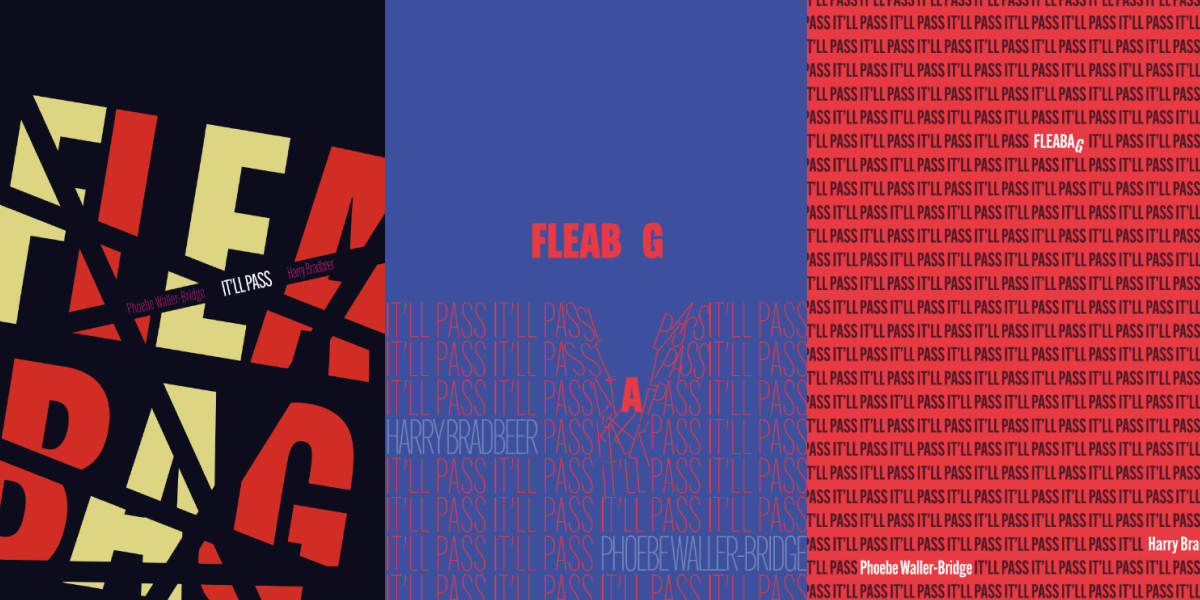
Start with the body text font, not the headline font
This is probably the most important habit shift you can make. Most projects fail because the “eye-catching” typeface gets chosen first for the headline, and afterward someone tries to force something reasonable for the body text. The correct process is the reverse: choose a highly legible body text font first, comfortable in long paragraphs and small sizes, and then look for a headline typeface that contrasts well with it and adds personality.
Limit the system to 2–3 fonts maximum
Except in very complex editorial projects, two or three typefaces are enough to build any hierarchy. If you feel like you need a fourth font, it’s more likely that the real problem is poorly defined hierarchy (weights, sizes, spacing) rather than a lack of typographic variety.
Test in real context, not in isolation
A pairing can look perfect as two large words on a white background, and completely fail in an actual five-line paragraph or a thirty-character headline. Before approving a pairing, always test it with real content, at the project’s actual sizes, in the real contexts where it will live (screen, print, different devices).
LABASAD Tip: The exercise we repeat most in the Graphic Design Master’s is taking the same real paragraph of text — never ‘lorem ipsum’ — and testing it across at least five different pairings, at actual size. ‘Lorem ipsum’ hides legibility problems that only show up with real words and sentences.
There are plenty of different guides, even from great design platforms such as Figma, about how to combine typographies. Here you have a simple and hands-on summary that you can use in your projects.
Serif + Classic Sans
This is the safest pairing because it maximizes structural contrast: the serif brings warmth and tradition to headlines or editorial body text, while the sans serif brings cleanliness and functionality to supporting text, interfaces, or technical data. It works especially well in editorial projects, classic corporate branding, and brand content aiming to convey trust.
Slab + Modern Sans
The slab serif brings solidity and character, ideal for headlines with presence and personality, while a modern, neutral sans serif in the body text maintains legibility without stealing focus from the headline. This pairing works very well for brands with a contemporary tone that still want to stand out, such as startups or product-driven brands.
Display + Neutral Sans (for branding / editorial)
Almost always reserved for very short headlines or brand elements (logos, covers, headers), a display typeface brings maximum personality and differentiation, but requires pairing with a very neutral, legible sans serif for the rest of the system — precisely to compensate for its poor performance in long text. This is the typical pairing for editorial projects with a strong visual identity, or brands that prioritize differentiation over neutrality.
Snippet: no font pairing is universally “the best” — each one works well for a certain type of project and fails in another; the skill lies in knowing which one fits which context.
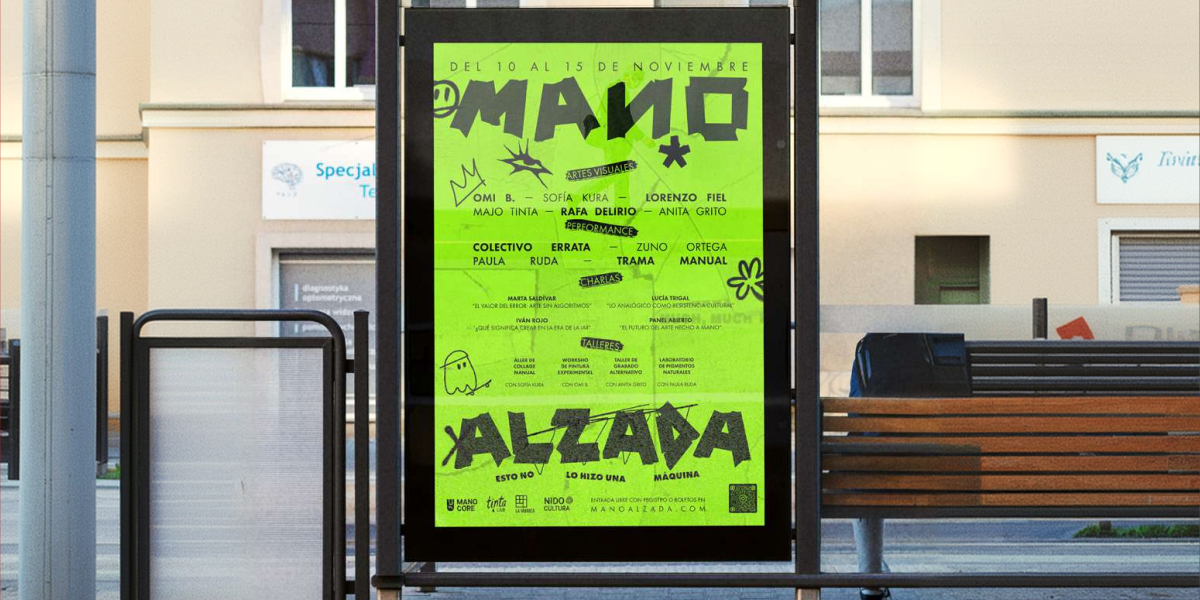
Even with a good choice of typefaces, the system can still fail due to application mistakes:
• Using too many sizes and weights within the same hierarchy level, creating a confusing scale instead of a clear one.
• Not leaving enough size contrast between hierarchy levels (headline and subheading almost the same size, for example).
• Applying the headline typeface to too many different elements, diluting its function of highlighting what truly matters.
• Ignoring line height and letter spacing (tracking), two variables just as decisive as the font choice itself for making the system feel considered.
1. I’ve limited the system to a maximum of 2–3 typefaces
2. Each typeface has a clear, justifiable role within the hierarchy
3. I’ve tested the pairing with real text, not just isolated headlines
4. There’s enough structural contrast between the chosen fonts (they’re not “similar but different”)
5. I’ve checked legibility at the smallest sizes in the system, not just the headlines
6. I can justify the typographic choice in terms of brand tone, not just personal aesthetic preference
A well-resolved typographic system is one of the clearest signs of design maturity in a portfolio, and it’s often underrated compared to the more “visual” part of a project. Here’s how we recommend presenting it at LABASAD:
Context: what type of project is it (editorial, branding, digital), and what tone of communication did it need from the start?
Challenge: what was the specific typographic challenge? For example: building clear hierarchy in a content-heavy document, or finding personality without sacrificing legibility.
Process: show the pairings you tried and discarded, not just the final choice — this demonstrates judgment, not just taste.
System: explain the full typographic hierarchy: which font serves which function, at what sizes and weights, and why that decision supports the project’s readability.
Applications: show the typographic system applied in real, varied contexts (headlines, long paragraphs, interfaces, printed pieces if applicable).
Learning: close with an honest reflection on what worked and what you’d adjust, showing that you understand typography as a living system, not a fixed aesthetic decision.
Snippet: a portfolio that explains why certain font pairings were discarded demonstrates more judgment than one that only shows the final combination.
Is it a mistake to pair two sans serif fonts together? Not necessarily, but it’s harder to get right. It works well when there’s enough structural contrast between them (a geometric paired with a humanist one, for example), but fails when both are too similar in proportion and construction.
How many typefaces should I use in a project at most? As a general rule, two to three. Beyond that, it becomes very difficult to maintain coherence and clear hierarchy, except in highly complex editorial projects handled by teams with extensive typographic experience.
Does the serif + sans serif pairing always work? It’s the safest and most versatile pairing for beginners, but it’s not foolproof: if both fonts have very different tones (one very classic, the other very futuristic, for example), the structural contrast doesn’t make up for the lack of tonal coherence.
Should I choose the typography before or after defining the brand color palette? There’s no strict rule, but many studios prefer to define the overall brand tone first — including typography — and adjust color afterward, since typography tends to shape the system’s overall personality more strongly.
Are automatic font-pairing generators a good idea? They’re a good starting point for exploring options, but they don’t replace judgment: it’s always worth testing a suggested pairing with real project content before approving it, since these tools don’t know your brand’s specific tone or context.
Knowing how to pair typefaces with real judgment isn’t a decorative detail within the design process — it’s probably the first complete system a designer learns to build: with rules, hierarchy, contrast, and coherence. Mastering it completely changes how you approach other, more complex systems later on, like branding or interface design.
If you want to stop deciding by gut feeling and learn to build typographic systems with the same rigor a professional studio works with, LABASAD’s Master’s in Graphic Design — Onlive format, with ECTS credit recognition — gives you the methodology, the guidance of active industry instructors, and the real projects you need to take your typographic judgment to a professional level.