


Art Direction and Artificial Intelligence: How to Create Visual Concepts with AI

· Art direction with artificial intelligence involves integrating generative tools into the conceptualization, development, and production of visual proposals.
· AI makes it possible to explore different styles, compositions, color palettes, and visual worlds, accelerating the early stages of a creative project.
· To create coherent visual concepts with AI, it is essential to start with a clear brief, define an artistic direction, and develop a process of selection and refinement.
· Artificial intelligence does not replace the judgment of an art director. Instead, it serves as a tool for experimentation, visualizing ideas, and expanding creative possibilities.
· Integrating AI into a professional workflow requires combining image generation with design, editing, and post-production tools, while also considering ethical and authorship issues.
Art direction has always been about transforming ideas into visual experiences. From an advertising campaign to a brand identity or the aesthetic of an audiovisual production, the goal is to build a visual language capable of communicating a concept, conveying emotions, and connecting with a specific audience.
In this process, research, reference gathering, aesthetic experimentation, and decision-making are essential. However, developing visual concepts can require many hours of work, especially when it is necessary to explore different creative directions before finding a proposal that meets the brief.
The arrival of generative artificial intelligence is transforming this stage of the creative process. Today, tools capable of generating images from written instructions make it possible to visualize ideas, explore styles, and develop visual proposals in less time.
However, generating an attractive image does not necessarily mean creating a strong art direction concept. A visual proposal must serve a purpose, remain consistent with the project’s identity, and meet specific communication objectives.
This is where the role of the art director comes into play. AI can facilitate exploration, but it is the professional who interprets the brief, defines the visual language, selects the proposals, and builds a meaningful aesthetic system.
The question, therefore, is not simply how to use artificial intelligence tools, but how to integrate them strategically into a creative process without losing the judgment, identity, or intention behind each visual decision.
Although they may seem like similar activities, generating images and directing a visual project serve different purposes.
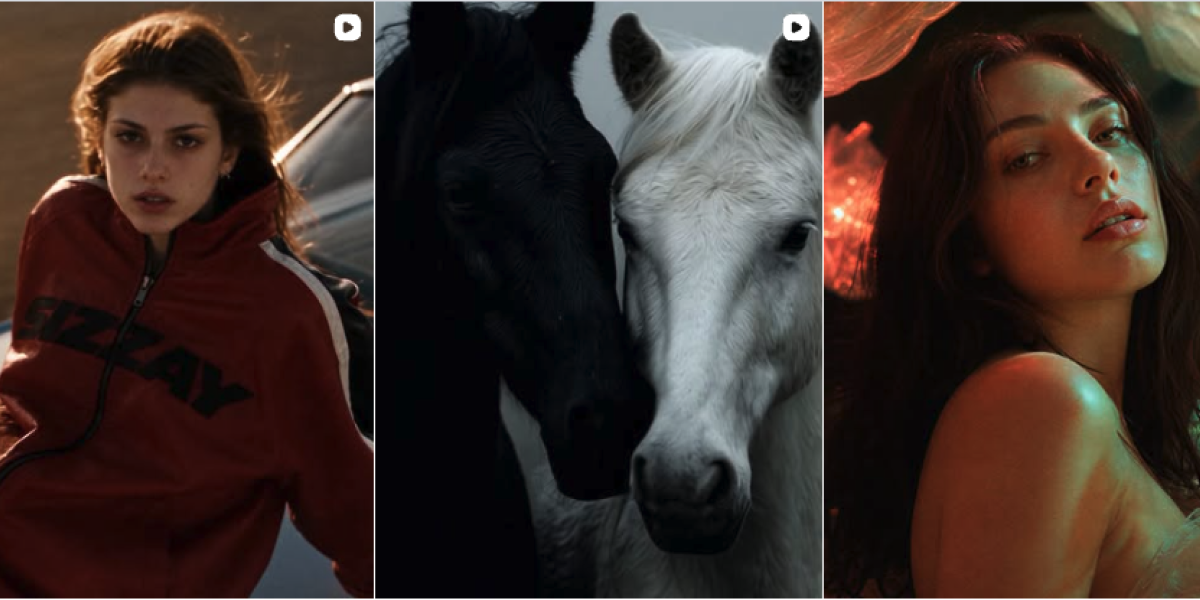
Image generation focuses on obtaining a visual result from a prompt, a reference, or a combination of both. Art direction, on the other hand, involves building a coherent visual narrative that serves a specific purpose.
For example, generating a photograph of a perfume bottle on a metallic surface can be a visual production exercise. Directing the aesthetic of a campaign for that same product involves making additional decisions:
· Defining the brand values the image should communicate.
· Establishing the target audience for the campaign.
· Determining the photographic style, lighting, and composition.
· Building a visual narrative that differentiates the product.
· Ensuring that all campaign assets maintain a recognizable identity.
Artificial intelligence can play a role in each of these stages, but the outcome will depend on the creative direction guiding the process.
LABASAD Tip: Before generating an image with AI, define what it needs to communicate. A strong visual concept starts with a clear intention, not with an aesthetic description of what you want to see.
One of the main benefits of artificial intelligence in art direction is its ability to facilitate the exploration of ideas. Instead of limiting themselves to a single visual proposal, professionals can work with different interpretations of the same concept and compare them before making decisions.
To achieve this, it is important to integrate AI into a structured workflow.
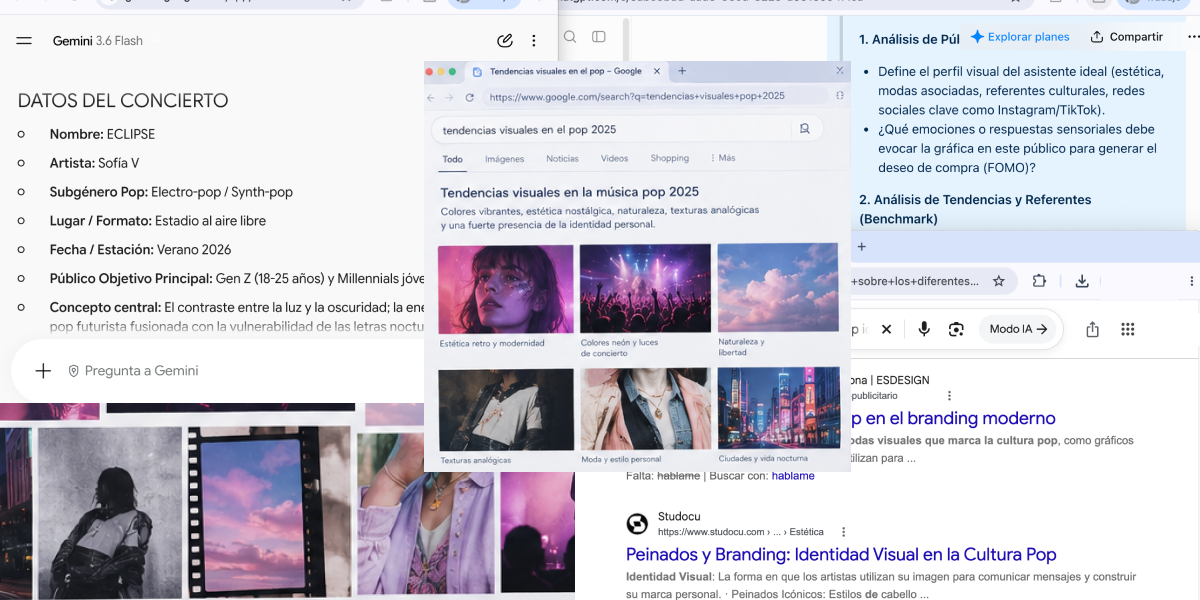
Every art direction project begins with a research phase. Before thinking about images, it is necessary to understand the context, identify the client’s needs, and analyze the audience the communication is intended to reach.
At this initial stage, AI tools can be used to help organize information, explore conceptual territories, identify potential associations, and structure ideas.
For example, if the brief involves developing a campaign for a sustainable cosmetics brand, the art director can use AI tools to explore different narrative territories related to nature, innovation, well-being, or conscious consumption.
These explorations can help raise questions and uncover perspectives that should later be validated through research and professional judgment.
It is important not to confuse information generated by a tool with a verified source. AI can suggest interesting associations, but claims about the market, consumers, or the brand must be checked against reliable sources.
AI can broaden the initial research, but the project’s real-world context must guide creative decisions.
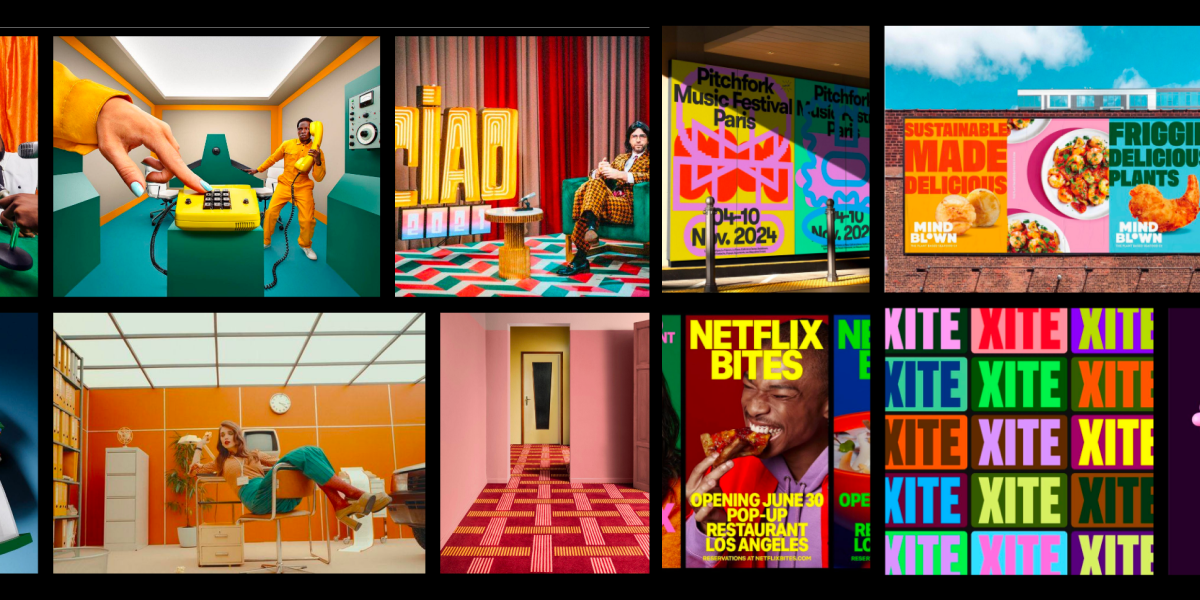
Once the conceptual territory has been defined, it is time to translate ideas into a visual world.
A moodboard is an essential art direction tool because it brings together references, establishes aesthetic relationships, and communicates the atmosphere of a proposal.
With image-generation tools, it is possible to create visual references that explore different combinations of lighting, composition, materials, textures, settings, and photographic styles.
Imagine you are developing the visual identity of a contemporary furniture brand. You could explore three aesthetic directions:
· Organic minimalism: natural materials, soft lighting, neutral tones, and balanced compositions.
· Industrial futurism: metallic surfaces, high-contrast lighting, bold geometries, and experimental spaces.
· Warm editorial: natural-light photography, tactile textures, close-up framing, and an earthy color palette.
AI makes it possible to visualize these directions, compare them, identify which one best responds to the brief, and develop a proposal with a clearly defined personality.
However, a professional moodboard should not consist exclusively of AI-generated images. Combining photographic references, existing projects, materials, typography, and original explorations helps build a richer and more grounded visual context.
A good moodboard does not simply collect beautiful images: it establishes an artistic direction that guides the entire project.
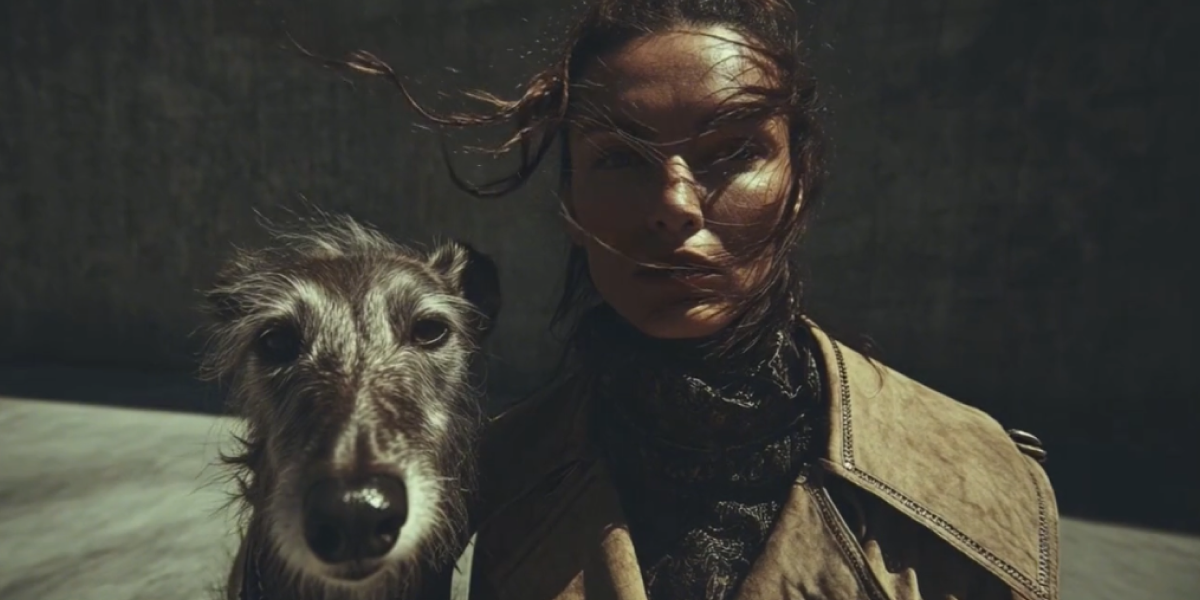
Experimentation is another stage in which AI can add value. The same idea can be interpreted through different visual languages, and exploring these possibilities makes it possible to assess which approach communicates the concept most effectively.
For example, a campaign about urban mobility could be developed through a documentary aesthetic, a futuristic approach, a composition inspired by editorial design, or a graphic language based on illustration.
AI makes it possible to generate variations of these proposals and observe how each one changes the impressions conveyed by the concept.
This ability to experiment is particularly useful during the early stages of conceptualization, when a definitive visual direction has not yet been established.
However, exploring more possibilities does not necessarily lead to better results. When variations are not guided by specific criteria, the process can turn into a succession of images without a recognizable creative direction.
That is why it is advisable to define in advance which aspects you want to explore: lighting, composition, style, color, or visual narrative.
LABASAD Tip: Work with clearly differentiated visual territories. Instead of generating twenty images with minor variations, develop three aesthetic directions with a specific intention and compare how each one responds to the brief.
The generative AI ecosystem offers different solutions for working with images, text, video, and editing processes. The choice of each tool will depend on the project stage, the type of result required, and the level of creative control needed.
The following tools are examples of applications that can be part of a workflow. Their features, terms of use, and availability may vary.
Image Generation Tools
Platforms such as Adobe Firefly and DALL·E make it possible to generate visual proposals from written prompts and, depending on the tool, reference images.
In art direction, they can be used to:
· Explore concepts and aesthetic worlds.
· Create visual references for moodboards.
· Develop lighting and composition proposals.
· Experiment with materials, settings, and styles.
· Visualize ideas before final production.
The choice of tool should be based on the project’s needs. Not all tools offer the same level of control, editing options, or terms of use.
Editing and Post-Production Tools
Generated images may require adjustments to meet the requirements of a campaign, brand identity, or editorial piece.
At this stage, tools such as Adobe Photoshop make it possible to refine compositions, correct elements, integrate graphic assets, and adjust the final result.
Post-production editing is particularly relevant when greater control over the image is needed, when specific brand elements must be incorporated, or when the proposal needs to be adapted to different formats.
Image generation is only one part of the process. Selection, retouching, and the integration of visual elements are essential to achieving a professional finish.
Video and Motion Tools
Generative AI is also being incorporated into audiovisual workflows. Some platforms allow users to generate sequences, animate images, or experiment with camera movements and transitions.
These capabilities can be used to develop animatics, explore atmospheres, or visualize how a static concept could be translated into an audiovisual format.
For example, in an advertising campaign, an art director can use a generated image as a starting point to explore a moving sequence, evaluate visual rhythm, or present an initial version of the proposal.
In any case, final production may require additional editing, compositing, continuity, and post-production processes.
The right tool is not necessarily the one that generates the most spectacular image, but the one that best meets the project’s needs.
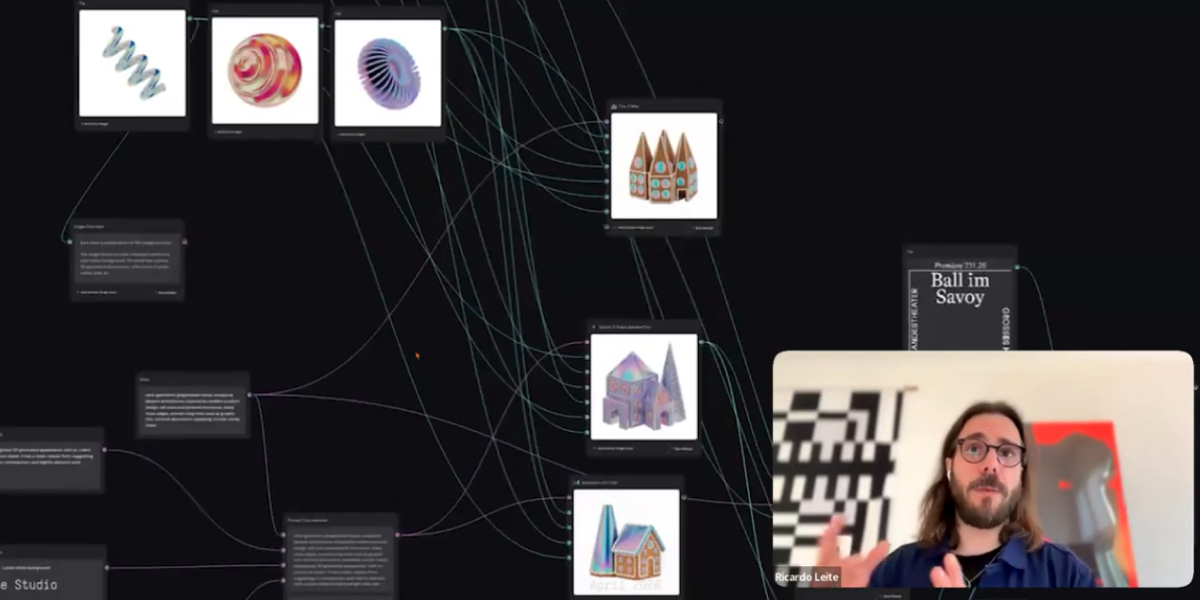
Incorporating artificial intelligence into a creative project requires more than simply knowing how to use different tools. It is necessary to establish a workflow that makes it possible to take advantage of their capabilities without losing control over the outcome.
AI can play a role at different stages, but each stage should have a clear objective and defined evaluation criteria.
1. Interpret the brief
Analyze the project’s objectives, audience, values to be communicated, and production constraints. Define the creative concept before starting to generate images.
Outcome: A clear conceptual approach.
2. Research and gather references
Build a universe of visual and conceptual references. Use AI to broaden the exploration, but verify the information and select references that are relevant to the project.
Outcome: A moodboard with a clearly defined artistic direction.
3. Generate visual proposals
Develop different interpretations of the concept using clear prompts, references, and visual parameters. Experiment with compositions, lighting, materials, and styles.
Outcome: Several creative directions to evaluate.
4. Select and refine
Evaluate the proposals according to their conceptual consistency, visual quality, suitability for the brief, and feasibility. Adjust the prompts and modify the results when necessary.
Outcome: A consolidated visual direction.
5. Develop the visual system
Apply the concept to the different assets of the project. Define the criteria for composition, color, typography, image treatment, and aesthetic consistency.
Outcome: A recognizable and adaptable visual language.
6. Produce and present
Integrate the images into the final assets, make the necessary technical adjustments, and prepare the project presentation. Document the creative decisions and the use of AI tools.
Outcome: A visual proposal ready for implementation.
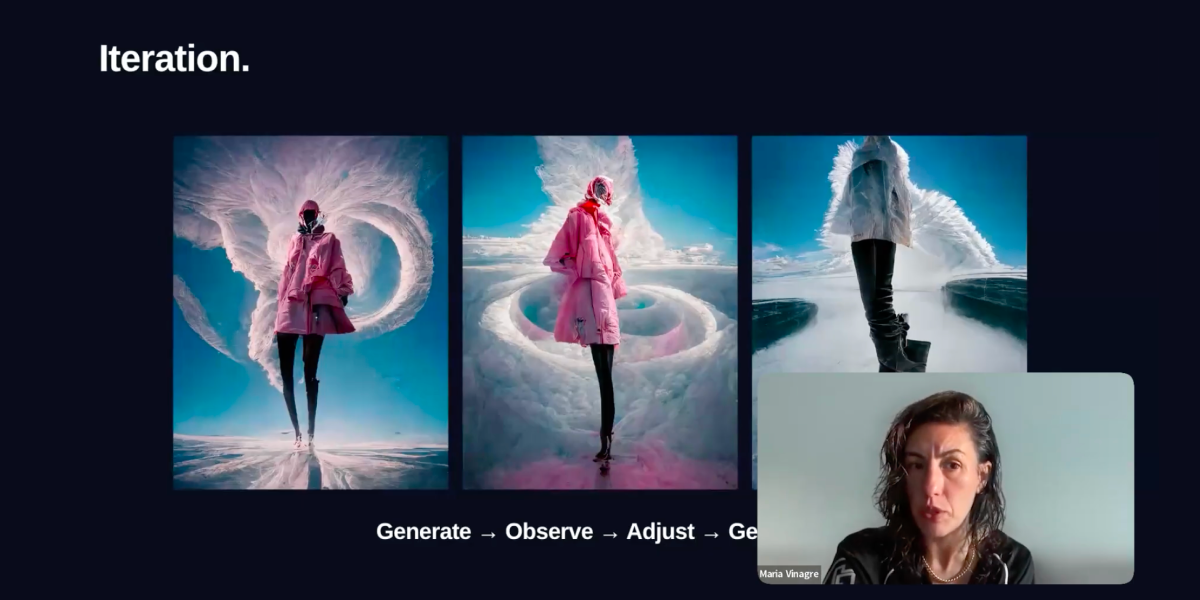
This workflow does not have to be strictly linear. Sometimes, a generated image can open up a new conceptual direction, or a technical limitation can lead to a complete rethink of the proposal.
What matters is that every iteration responds to a creative decision rather than simply the desire to obtain a different image.
The professional integration of AI depends on maintaining a constant relationship between experimentation, judgment, and communication objectives.
A prompt or instruction is the means through which professionals communicate to a tool the type of result they need. In art direction, learning to formulate effective instructions helps guide image generation towards a specific visual intention.
However, a long prompt does not guarantee a good result. What matters is that it includes relevant information and that its elements work together coherently.
To develop a visual prompt, you can work with different components:
· Concept: The main idea the image should communicate.
· Subject: The object, character, or main element.
· Environment: The space, context, and elements surrounding the subject.
· Aesthetic: The visual language, photographic style, or artistic reference.
· Lighting: The direction, intensity, and quality of the light.
· Composition: The framing, perspective, distribution of elements, and focal point.
· Color: The color palette and relationships between tones.
· Format: The technical characteristics and proportions of the image.
Imagine you are developing a campaign for a furniture brand that wants to communicate innovation and sustainability.
An overly generic prompt might be:
GENERIC PROMPT
A modern chair in a minimalist space with natural light.
Although this description can generate an image, it does not establish a distinctive visual identity or explain what the proposal should communicate.
A more developed prompt could be:
ART DIRECTION-FOCUSED PROMPT
Editorial photography of a contemporary designer chair made from recycled materials, placed in a Mediterranean-inspired architectural space. Minimalist composition, natural textures, soft side lighting, a sand and terracotta color palette, defined shadows, and framing with negative space. The image should convey innovation, sustainability, and timeless elegance, with a photographic treatment characteristic of a high-end furniture campaign.
The difference is not simply the amount of information, but the fact that the second prompt establishes a communication intention, an atmosphere, and visual criteria.
Even so, the generated result must be evaluated and adjusted. The tool may not interpret all the elements correctly or may introduce details that do not align with the proposal.
LABASAD Tip: Build your prompts around art direction decisions. Define the concept first, then the aesthetic, and finally the technical details. This will help you better evaluate what works and what needs to be modified in each iteration.
One of the main challenges of image generation with artificial intelligence is ensuring that different outputs maintain a common identity.
In a professional project, a campaign rarely consists of a single image. It may include photographs, social media posts, posters, banners, videos, and other formats that must all follow the same visual language.
When each image is generated independently, differences in lighting, colors, proportions, materials, or aesthetic treatment can emerge.
To avoid this, the art director must establish a visual system that serves as a reference throughout the entire process.
Define a Visual Language
The first step is to identify the elements that characterize the proposal: color palette, lighting, composition, textures, photographic treatment, and the relationship between the different elements.
These criteria should be documented and used as a reference for every asset.
For example, a campaign based on an analogue photography aesthetic could define a warm color palette, moderate contrast, visible film grain, and natural lighting. Maintaining these parameters across different images will help create a recognizable identity.
Use References Strategically
Reference images can help guide results towards a specific visual language. Depending on each tool’s capabilities, they can be used to guide composition, style, characters, materials, or atmosphere.
However, references must be selected carefully. It is important to distinguish between an image that inspires an atmosphere and one that serves as a direct reference for composition or a specific element.
Review the Assets as a Whole
Consistency cannot be assessed simply by looking at each image individually. It is necessary to evaluate all the assets together to identify differences that could affect the campaign’s identity.
The art director must check whether the images share the same intention, maintain an aesthetic relationship, and work correctly across different formats.
Visual consistency does not depend on all images being identical, but on their sharing a common system of creative decisions.
Although generative AI expands the possibilities for experimentation, its integration also presents challenges that professionals need to consider.
Aesthetic Homogenization
The ease of generating images from similar prompts can lead to visual results that share very similar aesthetic codes, compositions, or treatments.
A study published in the journal Gráfica by the Universitat Autònoma de Barcelona examines how AI can optimize certain graphic design processes, but can also contribute to visual homogenization when used without a critical perspective.
To avoid this, it is important to work with differentiated concepts, research diverse references, and develop a distinctive visual language rather than simply reproducing familiar styles.
Control Over Results
Generative tools do not always interpret instructions as expected. They may introduce unwanted elements, modify product details, or generate inconsistencies between images.
This can be particularly problematic in projects that require an accurate representation of an object, a brand identity, or a character.
That is why supervision and post-production editing are essential. Professionals must evaluate the quality of the results and decide when it is necessary to regenerate, modify, or produce certain elements using other techniques.
Authorship and Usage Rights
The use of generative AI also raises questions related to authorship, intellectual property, training data, and the terms of use of generated results.
In Spain, the debate surrounding the regulation of generative AI in the cultural sector includes claims from artists and authors regarding the use of their work and the need for transparency, consent, and the protection of their rights. Find out more in this El País article.
Therefore, before using AI-generated images in a commercial project, it is important to review the tool’s terms and conditions, the rights associated with reference materials, and the applicable legal requirements.
It is also advisable to document the creative process and remain transparent with clients about the use of artificial intelligence tools.
Technological Dependence
Another challenge is becoming excessively dependent on tools and their outputs. When visual exploration is based exclusively on generating images, there is a risk of reducing the creative process to selecting options proposed by the system.
To avoid this, AI should be part of a broader methodology that includes research, conceptual thinking, manual experimentation, editing, and critical evaluation.
Integrating AI responsibly means understanding both its possibilities and its limitations, and deciding when it adds value to a project.
LABASAD Tip: Do not present only the generated result. Document the process, references, decisions, and modifications made. Showing how you directed the tool also demonstrates your professional judgment.
Art direction continues to require a combination of conceptual, visual, strategic, and technological skills.
· Conceptual thinking: The ability to interpret a brief, identify creative opportunities, and develop ideas with a clear communication intention.
· Visual culture: Knowledge of graphic languages, photography, cinema, design, and cultural references that make it possible to build distinctive proposals.
· Aesthetic judgment: The ability to evaluate images, identify inconsistencies, and select solutions that best meet the project’s objectives.
· Technological knowledge: An understanding of generative AI tools and how to integrate them into design, editing, and production processes.
· Adaptability: A willingness to experiment with new workflows and adapt methodologies according to the project’s needs.
· Critical thinking: The ability to evaluate results, recognize technological limitations, and consider ethical and professional implications.
Developing these skills makes it possible to use AI as part of a broader creative process in which technology serves ideas.
To explore the application of these tools to graphic design and visual content in greater depth, you can visit the LABASAD Online Master’s in Graphic Design and Visual Content with AI.
The value of an art director lies in their ability to transform tools and visual resources into concepts with identity, consistency, and purpose.
FAQs: Frequently Asked Questions About Art Direction and Artificial Intelligence
What Is Art Direction with Artificial Intelligence?
It is the integration of AI tools into the process of conceptualization, exploration, and visual production. It makes it possible to develop aesthetic proposals, create references, and experiment with different visual languages under the direction and judgment of a professional.
How Is AI Used to Create Visual Concepts?
AI can be used to research creative territories, generate moodboards, explore styles, develop visual references, and produce variations of a proposal. To achieve coherent results, it is important to start with a clear brief and define the project’s aesthetic criteria.
What AI Tools Are Used in Art Direction?
There are image-generation tools such as Midjourney, Adobe Firefly, and DALL·E, as well as editing and post-production solutions such as Photoshop. The choice depends on the type of project, the level of control required, and the terms of use of each platform.
Can Artificial Intelligence Replace an Art Director?
AI can automate or facilitate certain tasks, but art direction also requires interpreting contexts, defining concepts, making aesthetic decisions, and ensuring the consistency of a proposal. These responsibilities are part of the professional judgment that guides a project.
How Can I Include AI Art Direction Projects in My Portfolio?
It is advisable to present the brief, creative concept, references, different directions explored, visual system, and final applications. It is also important to explain the role AI played in the process and which decisions were made by the professional.
Artificial intelligence is expanding the possibilities of art direction, facilitating visual experimentation and offering new ways to develop concepts. Its integration makes it possible to explore different aesthetic languages, visualize ideas, and optimize certain stages of the creative process.
However, technology alone does not guarantee a strong visual proposal. The quality of a project still depends on the ability to interpret a brief, develop a concept, establish an artistic direction, and make decisions that align with communication objectives.
For creative professionals, the challenge is to learn how to integrate these tools without losing sight of what gives their work meaning: conceptual thinking, visual culture, and independent judgment.
In this context, art direction with AI is not about generating more images, but about knowing which images to create, why to create them, and how to turn them into a coherent visual language.
If you want to explore new creative methodologies and develop the skills needed to direct visual projects, discover the LABASAD Online Master’s in Art Direction for Communication and Artificial Intelligence, a program designed to expand your knowledge and explore new possibilities within the creative industry.